
An automation flow is a sequence of steps Serpent runs to deliver changes. You build one on a visual canvas by adding action steps and connecting them in order, with no scripts or YAML to write. This guide covers building and running a flow; for what automation flows are and where they fit, see Automation Flow.
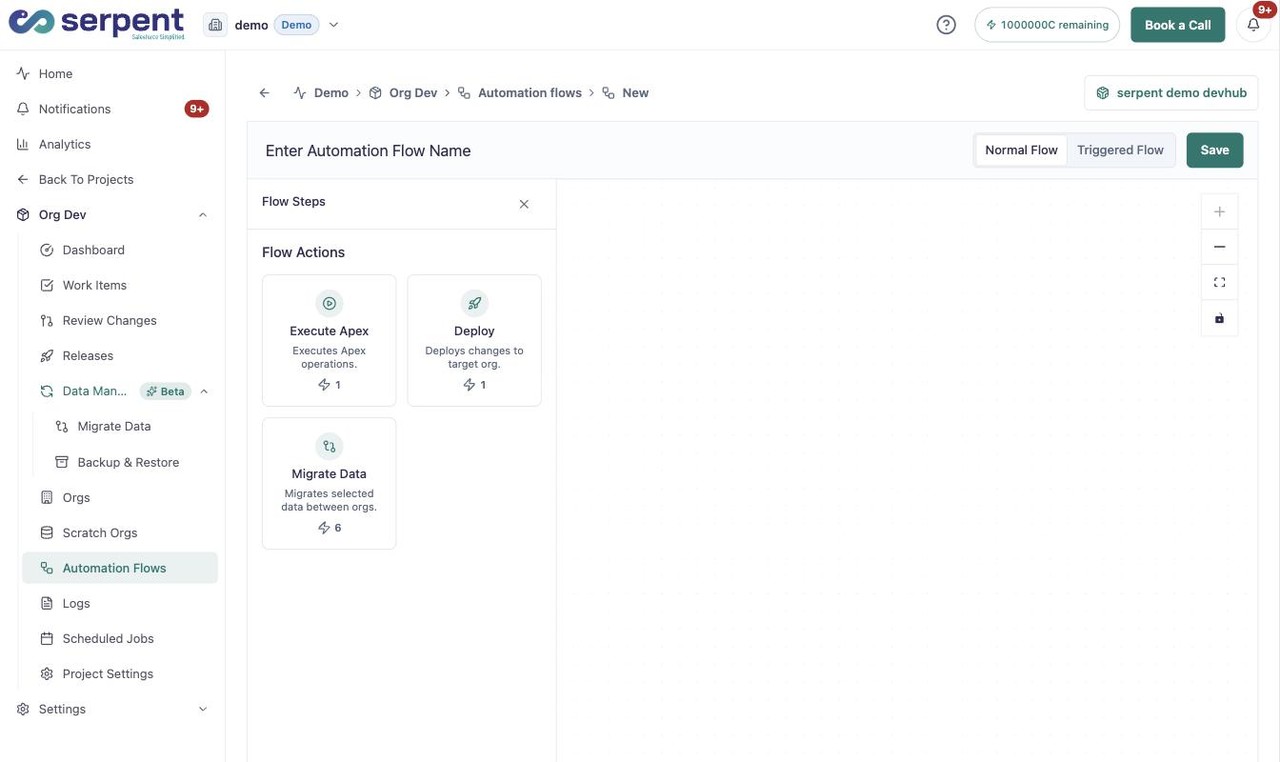
Build one in Serpent
Open the automation flow editor with the "Try it in Serpent" button above, then:
-
Create and name the flow
Start a new flow in the project and give it a clear name.
-
Add action steps
Add the steps the flow should run, such as deploy, validate, execute Apex, back-promote, or a release configuration.
-
Configure each step
Open a step to set its options, like the target org or the paths it deploys.
-
Connect the steps
Link the steps on the canvas so they run in the order you want.
-
Activate
Turn the flow on so it is ready to run.
Normal or triggered
- Normal flows run when you choose to run them.
- Triggered flows run automatically on an event, such as changes merging into a branch.
Keep it maintainable
Because a flow is visual, anyone on the team can read it, edit it, or clone it as a starting point. There is no pipeline script that only one engineer understands.