
An automation flow is the sequence of steps Serpent runs to deliver changes: deployments, validations, org setup, and data seeding. You design it visually in the UI, so anyone on the team can create and manage automation without a DevOps background.
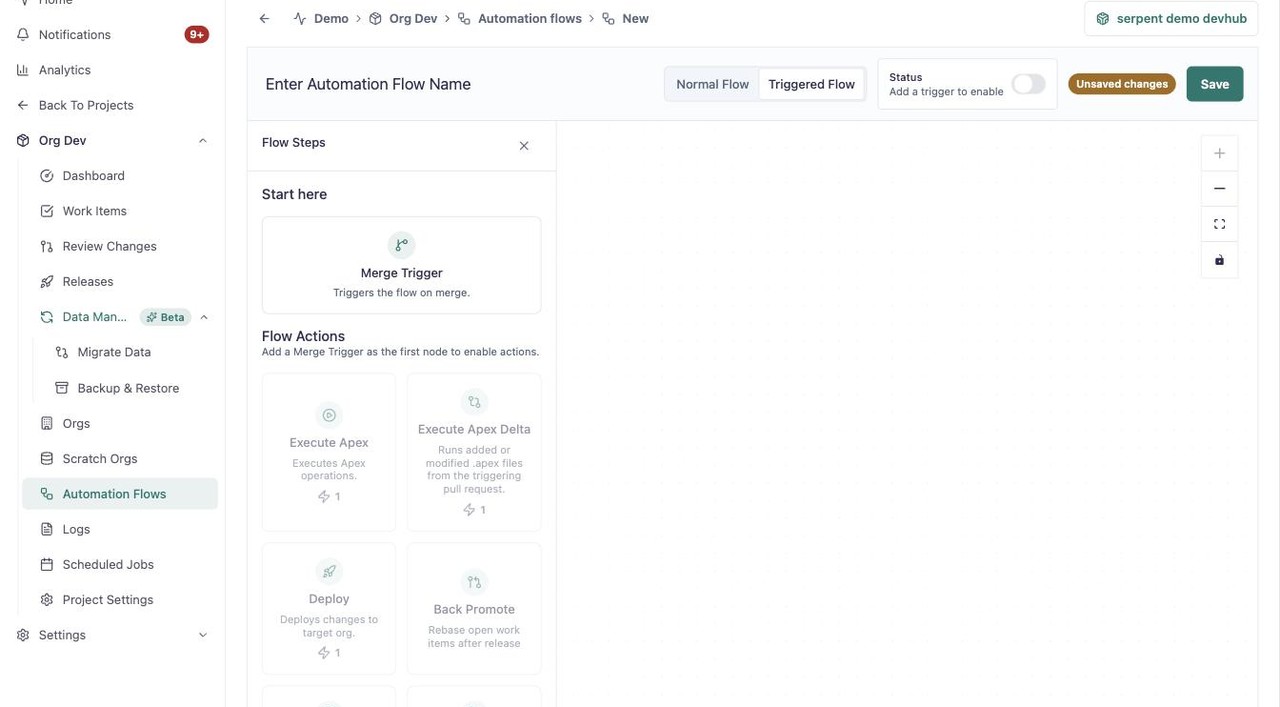
Open the automation flow screen with the "Try it in Serpent" button above to see a flow on the canvas, from its Merge Trigger start node to a palette of actions like Execute Apex, Deploy, Back Promote, Create Release, and Migrate Data.
Design flows your way
Different teams have different processes, so flows are flexible and can be customized without adding unnecessary complexity. There are no scripts or YAML files to write.
Run steps when they matter
Automation can be triggered by events, schedules, or approvals, so processes run at the right time without manual intervention. As Work Items move through review, the flow triggers the builds, tests, and deployments they need.