
Org-to-org deployment moves metadata straight from a source org to a target org, without hand-building a package.xml or a manifest. Serpent retrieves from the source, compares it against the target, and lets you pick exactly what to deploy.
How it works
Org-to-org deployment runs from a Work Item. Open a Work Item with the "Try it in Serpent" button above, then:
-
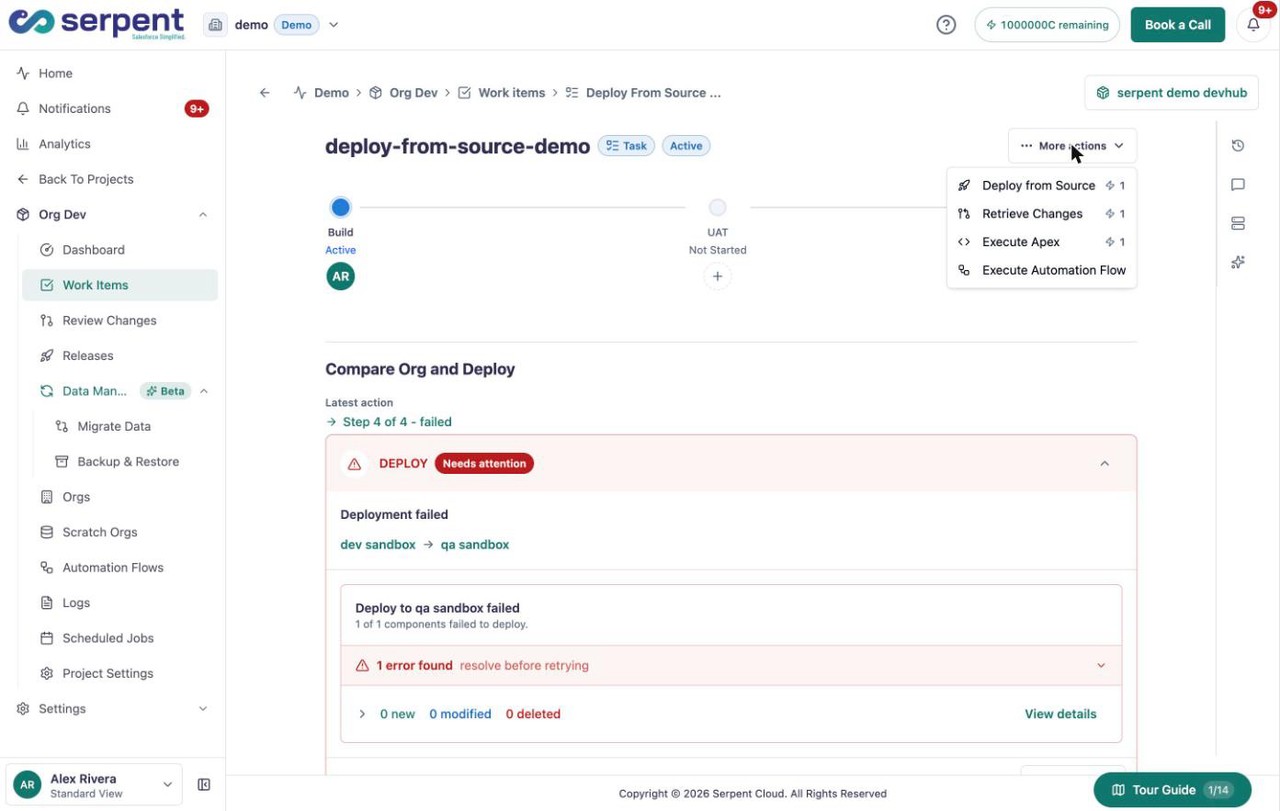
Open Deploy from Source
On the Work Item, open More actions and choose Deploy from Source to start the Compare Org and Deploy flow.
-
Select source and target orgs
Choose the org to deploy from and the org to deploy into.
-
Preview the differences
Serpent retrieves the source metadata and compares it against a fresh snapshot of the target, so you see what actually differs before committing anything.
-
Select components
Pick the components to move. Only what you select enters the deployment.
-
Validate against the target
The selection is validated against the target org. Failures send you back to adjust the selection, not into a broken deploy.
-
Review and deploy
Serpent opens a review PR for the change and deploys the merged result to the target org.
Preview before you commit
The preview step retrieves the source metadata without committing it, so comparing two orgs never changes either one. You see drift in both directions before a single component moves.
A review PR every time
Because every org-to-org deployment goes through a pull request, the change is reviewable and the history is kept. Even a direct org-to-org move leaves a complete, timestamped audit trail.