
Sandboxes are full copies of a Salesforce org used for development and testing. Connecting a sandbox to Serpent lets you pull the changes made there into a project so they can move through review and release.
Connect it in Serpent
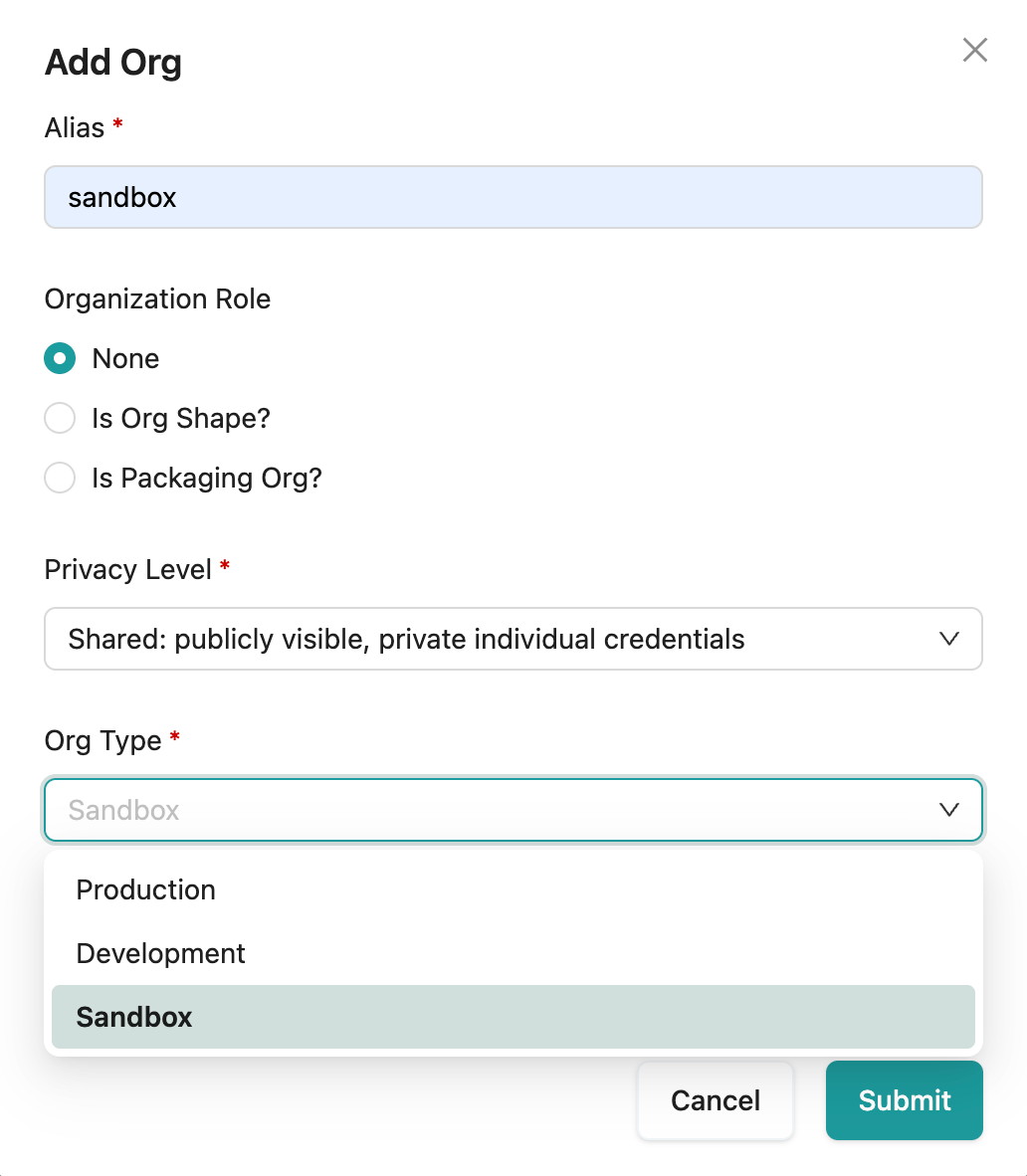
Open the Add Org dialog with the "Try it in Serpent" button above, then:
-
Choose the org type
Set the Org Type to a sandbox so Serpent knows what it is connecting.
-
Authorize the sandbox
Sign in to the sandbox so Serpent can access it.
-
Set an alias
Enter an Alias so the sandbox is easy to recognise in your orgs list.
-
Associate it with the project
Connect the sandbox to the project that works against it, so it becomes a source you can retrieve from.
Pull changes in
- Retrieve the metadata that changed in the sandbox into a Work Item.
- Review the pulled changes before they progress.
- Let Serpent capture them on the Work Item's branch for you.