
Sandboxes are copies of a Salesforce org used for development and testing. Creating a sandbox gives your team a dedicated environment to work in without touching production.
Create it in Serpent
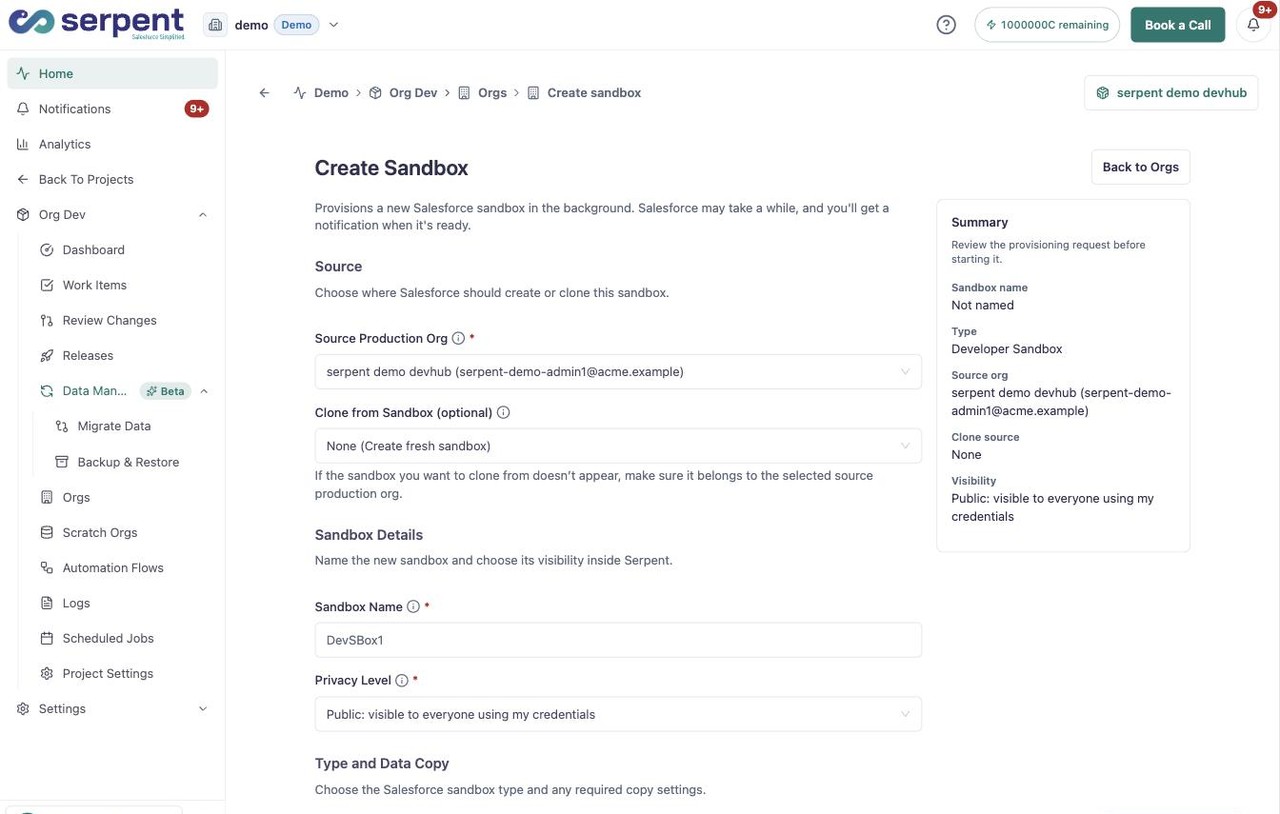
Open the Create Sandbox form with the "Try it in Serpent" button above, then:
-
Choose the source org
Select the production org the sandbox is based on, or clone from an existing sandbox instead.
-
Name the sandbox
Enter a Sandbox Name so the environment is easy to recognise later.
-
Set the privacy level
Choose the Privacy Level the sandbox should use.
-
Create the sandbox
Submit the form to start provisioning. The kind of sandbox you picked sets how often it can be refreshed.
Put it to work
- Connect the sandbox to the project that will use it.
- Develop and test changes there before they move toward release.
- Pull changes made in the sandbox back into Serpent for review.