
Review checks are the automated validations that run against a change while it is under review, so issues surface before a deployment starts rather than failing mid-pipeline.
Do it in Serpent
Open a change under review with the "Try it in Serpent" button above, then:
-
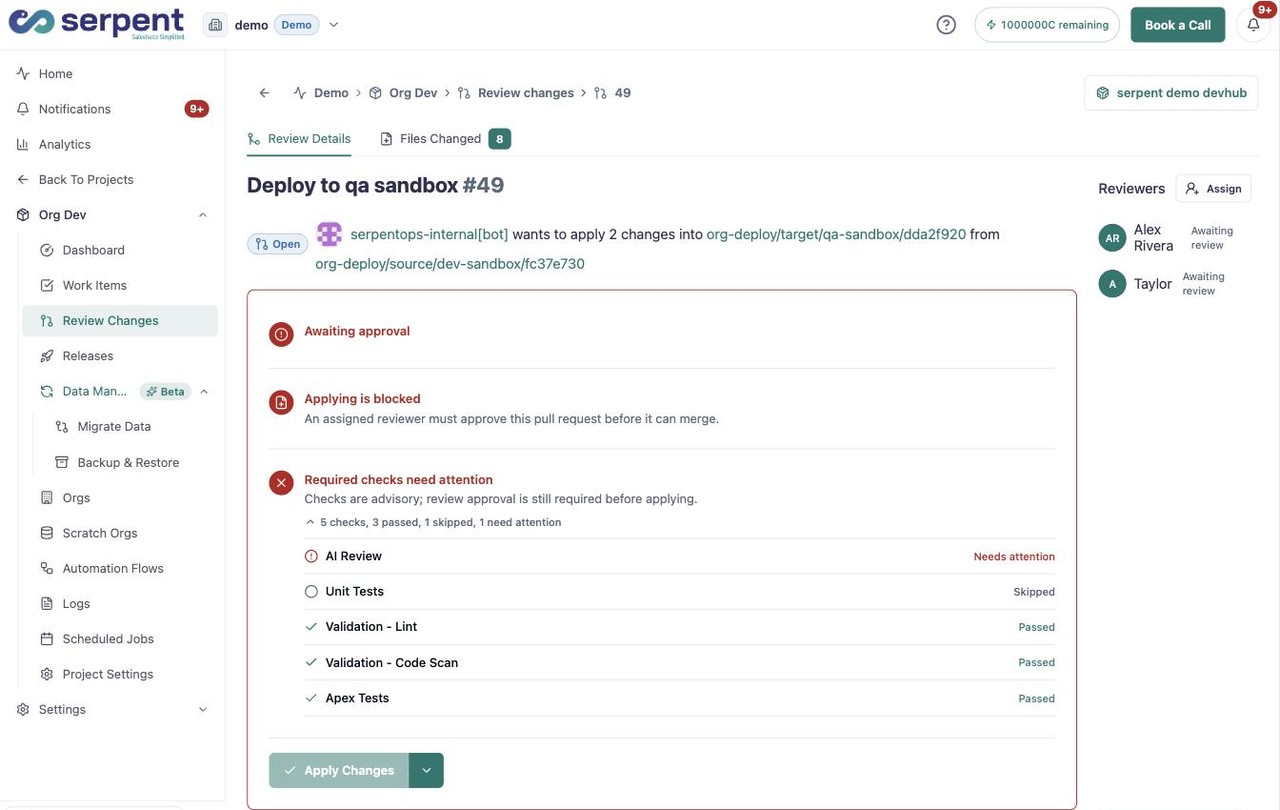
Open the checks panel
View the checks running against the change, such as AI review, validation, and tests.
-
Read each status
Check whether each validation passed, was skipped, or needs attention before the change moves on.
-
Act on a failing check
Fix any flagged change, then let the checks re-run so it is safe to scope into a release.
What the results tell you
- A failing check flags the change for a fix before it can move on.
- Results stay attached to the Work Item alongside comments and approvals.
- Passing checks give reviewers confidence that the change is safe to release.