Serpent/Help Center
Back to Serpent homepage
EN
EnglishENNederlandsNLالعربيةARFrançaisFRDeutschDE
Start free

Loading the Help Center…

FeaturesPricing
Help CenterSecurity
PrivacyTerms
Contact
© Serpent by Tekunda
  1. Help Center /
  2. Deployments, Actions & Releases /
  3. Execute Apex

Execute Apex

Run anonymous Apex against a connected org and read the debug output - for one-off scripts, data fixes, and post-deploy steps.

Updated August 20, 2026 · 1 min read

Try it in the demo →

Execute Apex runs a block of anonymous Apex against a connected org and returns the debug output. It is the quick way to run a one-off script, a data fix, or a post-deployment step without leaving Serpent or opening the Developer Console.
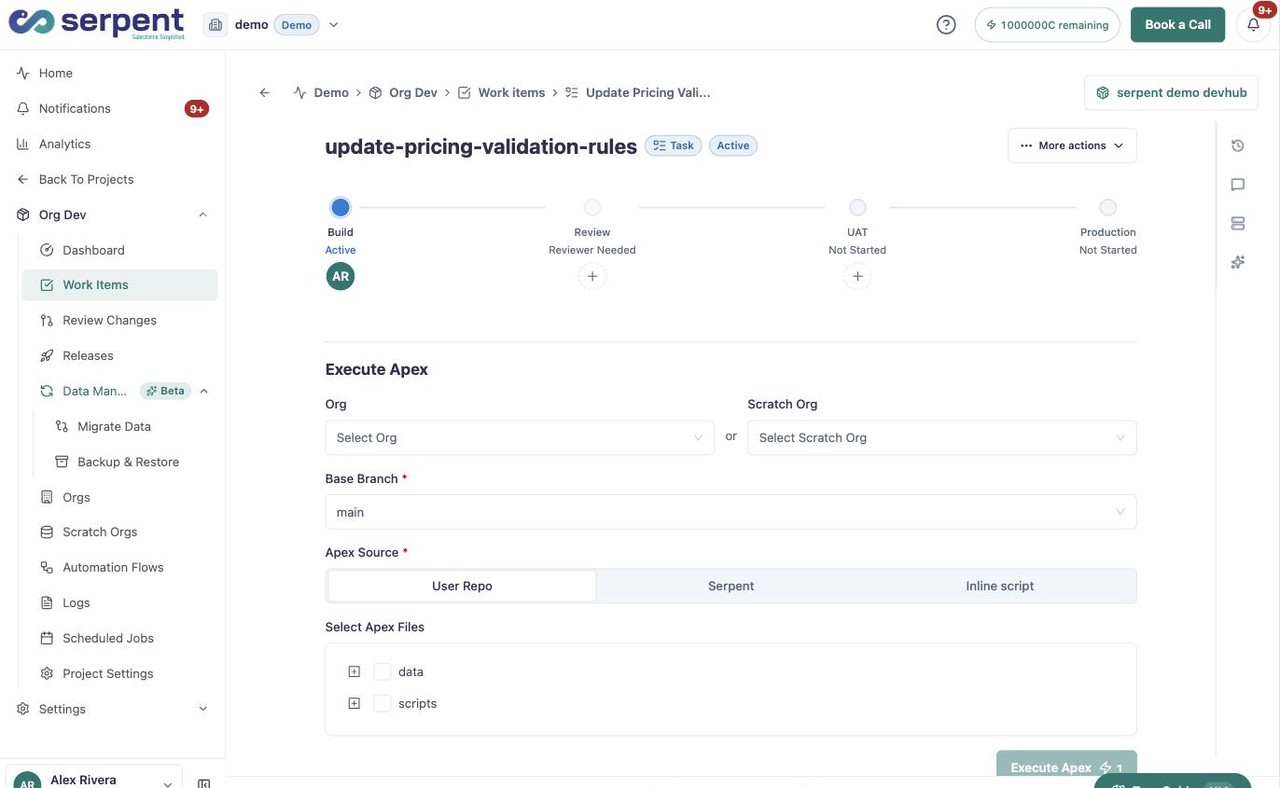
Execute Apex flow: choose an org or scratch org and base branch, pick the Apex source (User Repo, Serpent, or Inline script), and select the Apex files to run

What you can use it for

  • Run a one-off data fix or backfill against a sandbox before a release.
  • Trigger a post-deployment step, such as scheduling a job or seeding a record.
  • Check behaviour quickly by running a snippet and reading the debug log.

Run it in the demo

Execute Apex runs from a Work Item. Open a Work Item with the "Try it in the demo" button above, then:

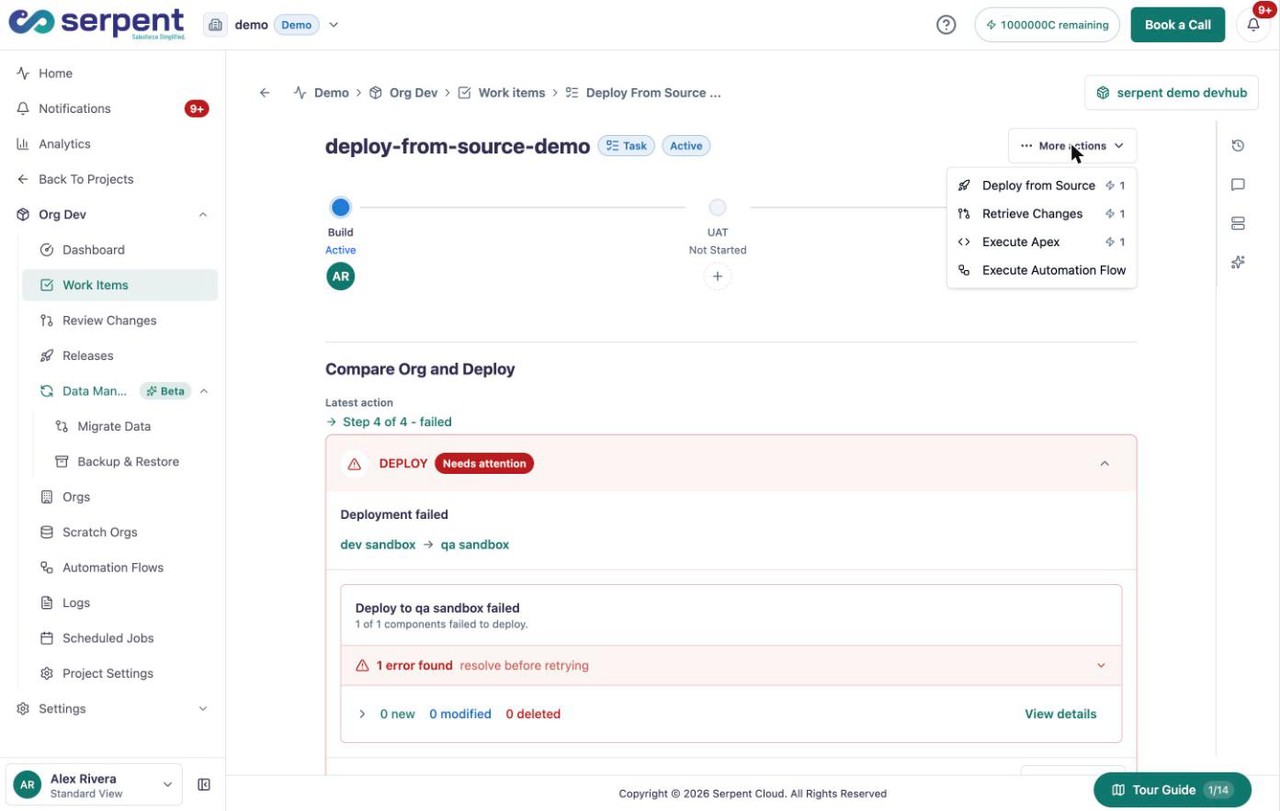
Work Item More actions menu with Execute Apex, alongside Deploy from Source, Retrieve Changes, and Execute Automation Flow
  1. Open Execute Apex

    On the Work Item, open More actions and choose Execute Apex.

  2. Pick the org

    Choose the connected org to run against. Run against a sandbox or scratch org first, not production.

  3. Add your Apex

    Paste or write the anonymous Apex you want to run.

  4. Run and read the output

    Run it, then read the returned debug output to confirm what happened.

Tracked like any action

Execute Apex is a Serpent action, so each run is recorded with its output and status. You can see it in the action history and follow up if something needs attention.

On this page

  • What you can use it for
  • Run it in the demo
  • Open Execute Apex
  • Pick the org
  • Add your Apex
  • Run and read the output
  • Tracked like any action
PreviousDetailed Action LogsNextManage Files

Was this article helpful?

Related articles

Actions Inside Work Items

Run the actions available on a Work Item to retrieve, commit, and move its Salesforce changes along.

Projects & Work Items

Deploying Changes

Push a Work Item's changes to a target org through a guided, resumable flow that validates before anything lands.

Deployments, Actions & Releases

Detailed Action Logs

Inspect the full log of any action to see exactly what ran, what passed, and what failed.

Deployments, Actions & Releases

Actions Overview

A quick overview of what actions are in Serpent and how they fit into your delivery flow.

Deployments, Actions & Releases

Still need help?

Can't find what you need? Contact support and include the action, org, project, or release you were working on.

Contact support