

Permission Set vs. Profile
Every user has one profile; permission sets layer additional access on top, and Salesforce recommends the latter.
Definition
Profiles and permission sets both control what a Salesforce user can see and do, but they work differently: every user has exactly one profile, which sets baseline object, field, and system permissions, while permission sets are additive and a user can hold any number of them to layer on extra access without changing their profile. Salesforce has pushed permission sets (and permission set groups, which bundle several sets together) as the recommended model for years, since minimal profiles plus composable permission sets scale far better than maintaining dozens of near-duplicate profiles for slightly different roles. Migrating from profile-heavy to permission-set-driven access control is a common Salesforce DevOps project on its own, since profiles and permission sets deploy as separate metadata types and untangling years of profile sprawl takes careful planning. Our Salesforce DevOps guide covers access control as part of a broader release strategy.
How it works in Serpent
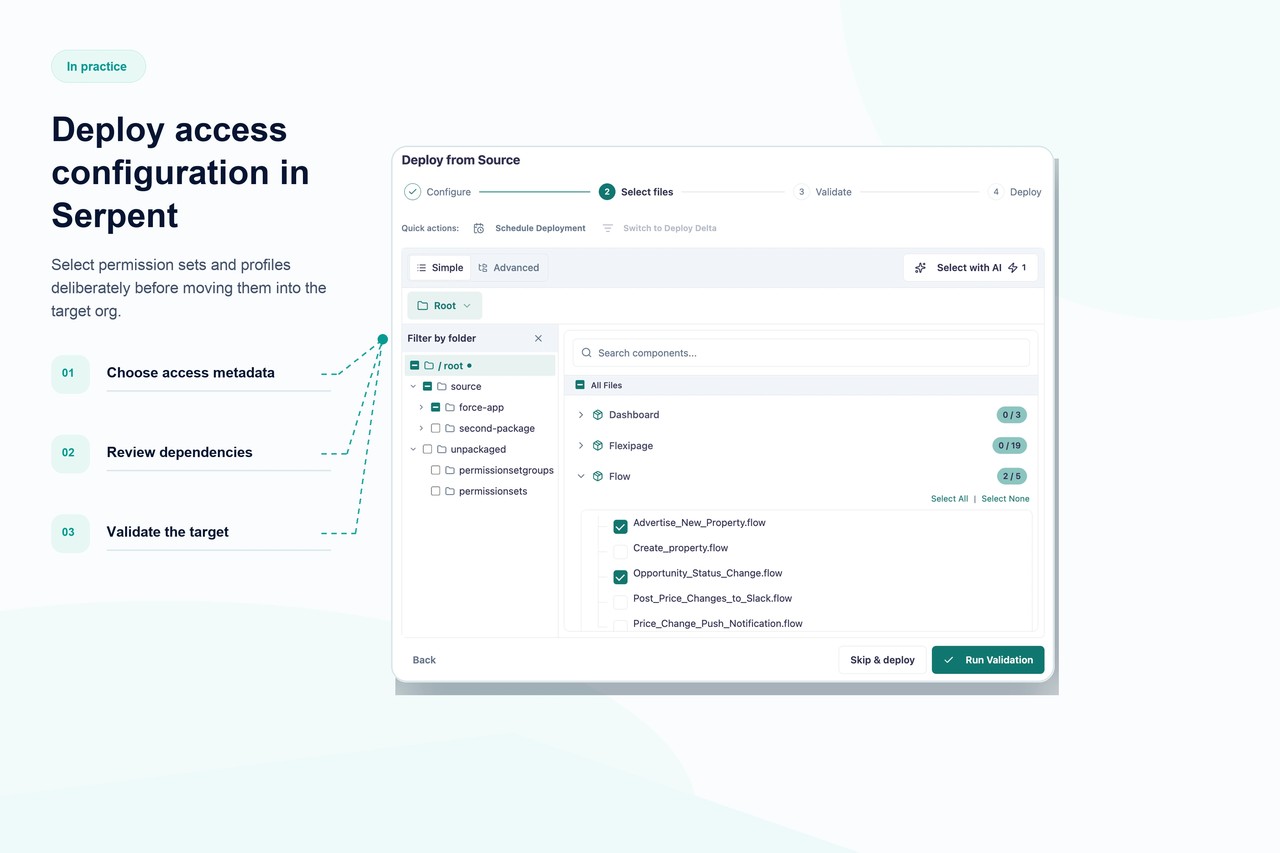
Serpent deploys profile and permission set metadata like any other component, tracked by Work Item and included in preflight checks so an access change never ships silently alongside unrelated work. Org comparison surfaces permission drift between sandboxes and production, which matters more for permission sets than most metadata types since access bugs are often invisible until a user hits a wall. Serpent doesn't dictate which access model you use, but makes both auditable and reversible with one-click rollback. See org management in Serpent for how permission changes are tracked.
Permission Set vs. Profile, answered
Start free. No credit card, no install, no commitment.
Set up in under 15 minutes. No DevOps hire needed.