
Tekunda Team

Andrew Hanna
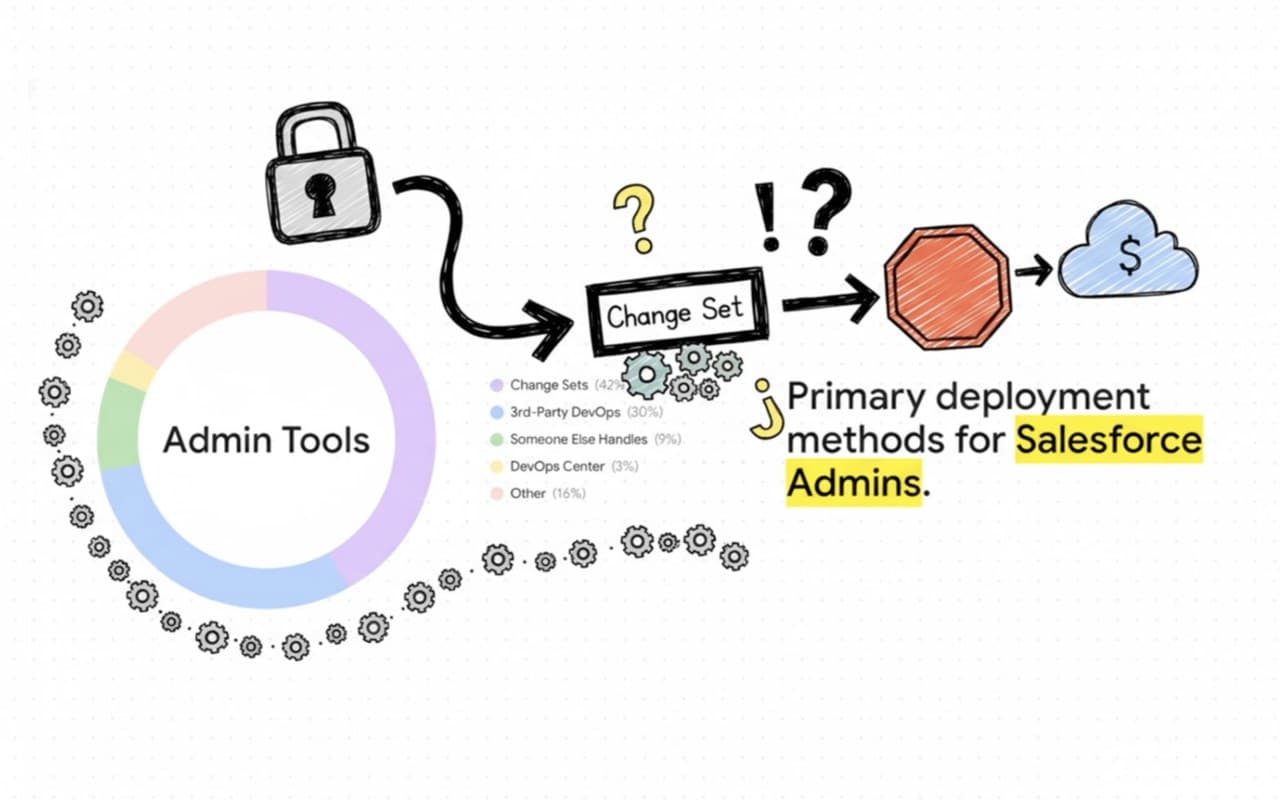
If you are a Salesforce Admin, you know the struggle of "Deployment Day" all too well. For years, bridging the divide between pro-code developers utilizing modern Salesforce DX tools and declarative admins relying on manual Change Sets has created a massive collaboration gap. Release management has historically meant juggling sticky notes, hunting through spreadsheet logs to remember which fields you modified, and praying you didn't forget a critical permission in your deployment.
The dream of smooth, automated deployments is finally coming into focus for everyone. Salesforce recently announced the Open Beta for their Next-Generation DevOps Center, promising to bring modern "developer superpowers" to admins with a familiar, click-based interface. Let's break down what is new for admins in this release, explore the exciting shift toward AI, and discuss how you can push your release process even further with advanced AI-native tools today.
Curious how DevOps Center stacks up against other platforms? See our guide to the best Salesforce DevOps platforms and tools for 2026.
Salesforce has evolved the DevOps Center from a managed package into a Native Platform Capability. This means no more installing or updating packages, you just toggle it on in your Setup menu to start modernizing your pipeline. Here are the key highlights for admins:
Perhaps the most exciting part of Salesforce's announcement is their long-term vision of an "Agentic Experience". As they move toward general availability, Salesforce plans to introduce an Agentforce Assistant that allows you to interact with your pipeline using natural language. Instead of clicking through complex menus to fix a merge conflict, you will eventually be able to chat with an AI teammate to supervise and execute the work.
While the new DevOps Center Beta is a fantastic baseline for release hygiene, the reality is that many teams need more power, deeper visibility, and advanced AI assistance today. Even with modern DevOps tools in place, teams consistently lose hours resolving complex dependencies, syncing drifting environments, and diagnosing deployment errors.
That is exactly why we built Serpent. We share the industry's vision of democratizing DevOps for admins, developers, and testers, but we have already taken the leap into the agentic future.
While standard tools help you move metadata from point A to point B, Serpent acts like a tireless extra engineer on your team. Here are a few advanced capabilities Serpent offers that go far beyond standard toolkits:
Why click through complex menus when you can just describe what you want? Serpent is built on a powerful AI DevOps Assistant utilizing a hybrid Orchestrator and Code Agent architecture. You can simply type a request in plain English, like "deploy the new pricing feature to QA", and Serpent's Orchestrator will autonomously clone the repository, evaluate the target org, and run the deployment pipeline for you.
Failed deployments due to missing components are a universal headache. Serpent features an embedded Code Agent (OpenCode) that proactively scans your imports and metadata changes, running dependency checks to flag missing or unused components before you deploy. If a deployment does fail, Serpent's "analyze-and-fix" skill can autonomously read the error logs, navigate the source files to apply a fix, and open a Pull Request for your review.
With Serpent, you don't just deploy; you get a complete safety net. Every single change is versioned and logged by user and timestamp. If a deployment breaks something in production, Serpent provides an instant, clear rollback path so you can recover immediately. Furthermore, our one-click Org Sync automatically compares metadata and flags environment drift, keeping your sandboxes perfectly aligned with production.
Unlike alternative tooling that locks you into expensive, per-user licenses, Serpent was built for hybrid team collaboration. Our transparent pricing includes unlimited seats on our team plans, starting free with Essentials and scaling to $699/month for Scale. This means your admins, developers, consultants, and project managers can all collaborate in one clear dashboard without any per-user billing surprises.
Is Salesforce DevOps Center still a managed package?
No. In the next-generation beta it is a native platform capability, so you toggle it on in Setup instead of installing and updating a package.
What is new in the DevOps Center beta?
DX Inspector tracks your changes automatically inside a sandbox or Developer Edition org, work items move across a visual pipeline board, and conflicts get a guided AI-assisted resolution. A developer preview also covers deploying metadata and configuration data together.
What are work items in DevOps Center?
They are tickets that changes attach to, replacing file lists in a spreadsheet. You can see at a glance whether an item sits in Integration, UAT or Production, and move it forward with a click.
What does DevOps Center not cover?
It is a solid baseline for release hygiene, but teams still lose hours to complex dependencies, drifting environments and diagnosing deployment errors. That is the gap tools with deeper AI assistance aim to close.
The future of Salesforce DevOps isn't just about abandoning Change Sets, it is about bringing your entire team into a single, predictable, AI-powered workflow where deployments are stress-free.
If you want to see what a truly agentic release process looks like today, we have made it completely frictionless to try. You don't even need to connect your own Salesforce orgs or configure pipelines. We have created a live Demo Workspace fully preloaded with sample data, tasks, and pipelines so you can test-drive one-click deployments and AI features instantly.
Ready to release with confidence?
Commitment free!