
Backups capture a known-good state of your Salesforce org so you can recover metadata and records if something is lost or changed unexpectedly. Restore brings that captured state back when you need it.
Salesforce has no native one-click recovery for many changes, so a deliberate backup is often the difference between a quick restore and a manual rebuild. Backups complement release-level rollback, which recovers the specific changes a deployment made.
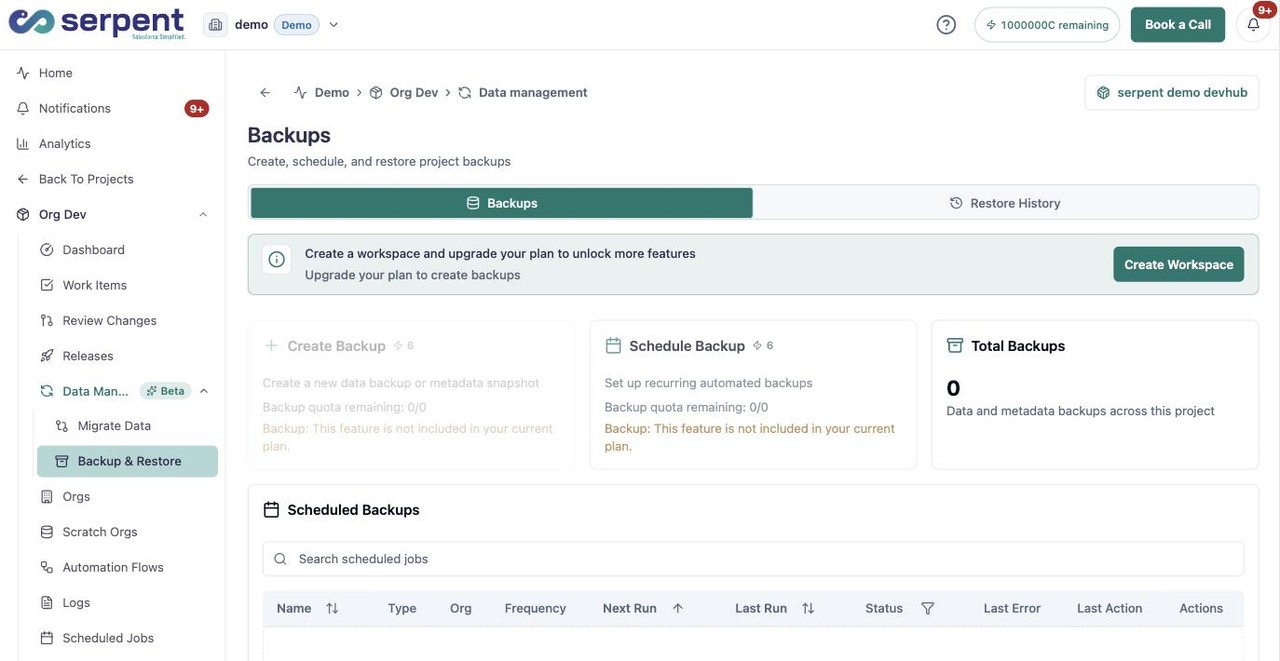
Try it in Serpent
Open the Backups view with the "Try it in Serpent" button above, then:
-
Open the Backups tab
On the Backups tab, check the total-backups count for the project.
-
Capture the current state
Start a new backup so you have a known-good point to recover from later.
-
Check restore history
Open Restore History to see past restores for the project.
Restore when you need it
- Recover supported org metadata and records from a backup.
- Use backups alongside rollback: rollback reverses a release, backups protect against broader data loss.
- Keep in mind that data and already-deleted metadata are harder to reverse cleanly, so recovery for those needs extra care.