

Managed Package
A package that hides its code so companies can sell it on AppExchange without exposing how it works.
Definition
A managed package is a distributable, namespaced bundle of Salesforce metadata whose Apex code, formulas, and business logic stay hidden from the installing org, built for AppExchange listing and commercial or multi-client distribution. Large vertical apps ship this way, which is why most day-to-day configuration in a product like nCino lives in subscriber-org records rather than in the package itself. The namespace prefixes every component, preventing collisions across customer orgs, and it can never be removed once registered.
Managed packages can be built with either 1GP or 2GP, though Salesforce now recommends 2GP for its proper versioning, dependency declarations, and CI-friendly source model. Listing one publicly on AppExchange requires passing Salesforce's mandatory security review, and updates typically ship as push upgrades to installed subscriber orgs rather than a fresh manual install each time.
Because code stays hidden, subscribers can't view or customize protected logic directly, which is exactly the tradeoff that makes licensing and IP protection possible, unlike an unlocked package. Most ISVs build on 2GP today, since 1GP-built managed packages lack proper dependency handling between packages.
How it works in Serpent
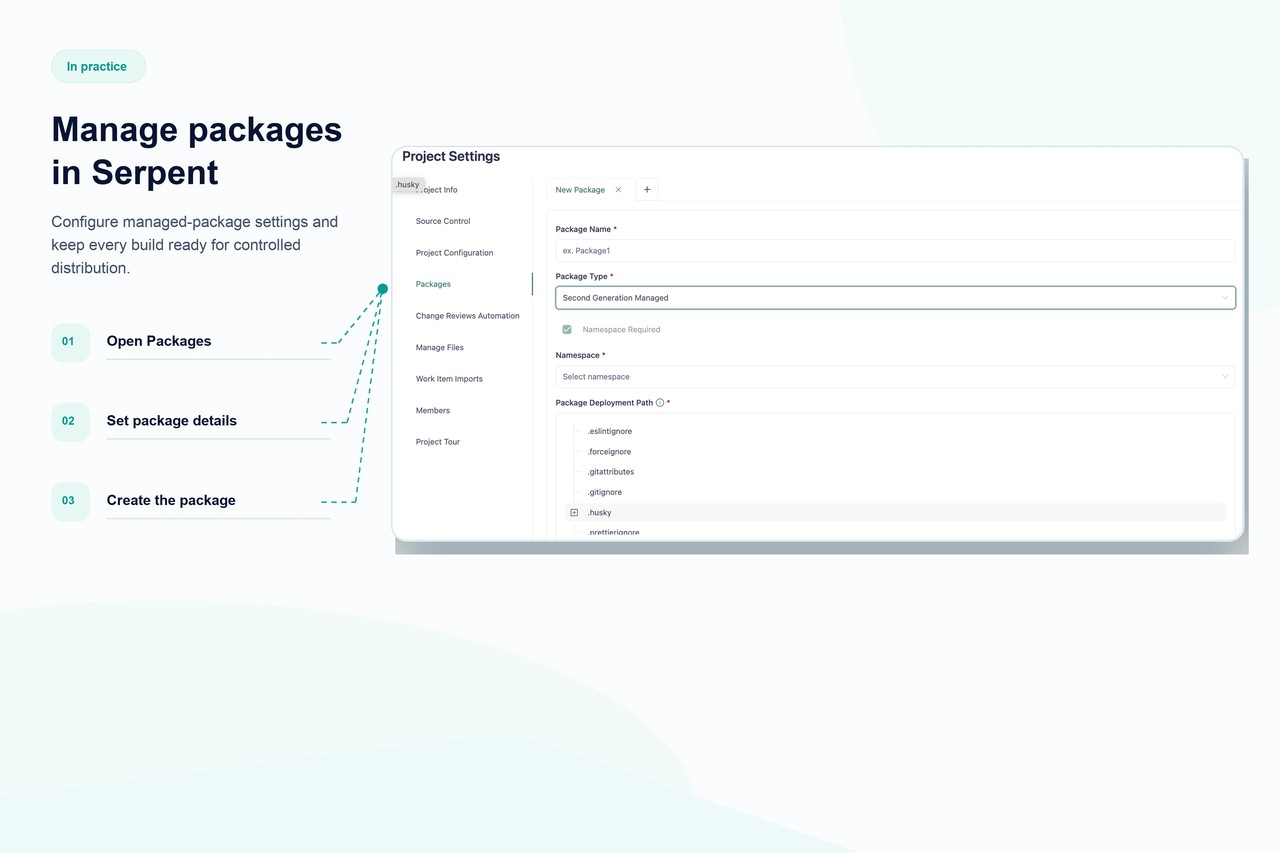
Serpent handles the full managed package lifecycle for ISVs: versioned builds, dependency-aware promotion, subscriber org version tracking, and prep for AppExchange security review, all native rather than bolted on with scripts. Teams can see exactly which package version each subscriber org runs and plan upgrade paths accordingly, without a spreadsheet to track it manually. Because Serpent doesn't require a separate CI system, ISV teams without a dedicated release engineer can still ship on a predictable cadence. See DevOps for ISVs for the full workflow.
Managed Package, answered
Start free. No credit card, no install, no commitment.
Set up in under 15 minutes. No DevOps hire needed.