
Describe your intent
Instead of clicking through a workflow, type what you want in plain English, for example "Deploy the new pricing feature to QA". Serpent gathers the right components, prepares the deployment, and asks for your okay.
Scope and AI review
Serpent maps the exact components the change touches and runs an AI review to catch missing dependencies, security issues, and risky patterns before anything moves.
Approve, then execute
Human approval is required before execution. Once you approve, Serpent AI deploys and records logs, status, and artifacts for full auditability.
Try it in Serpent
Open a Work Item with the "Try it in Serpent" button above, then:
-
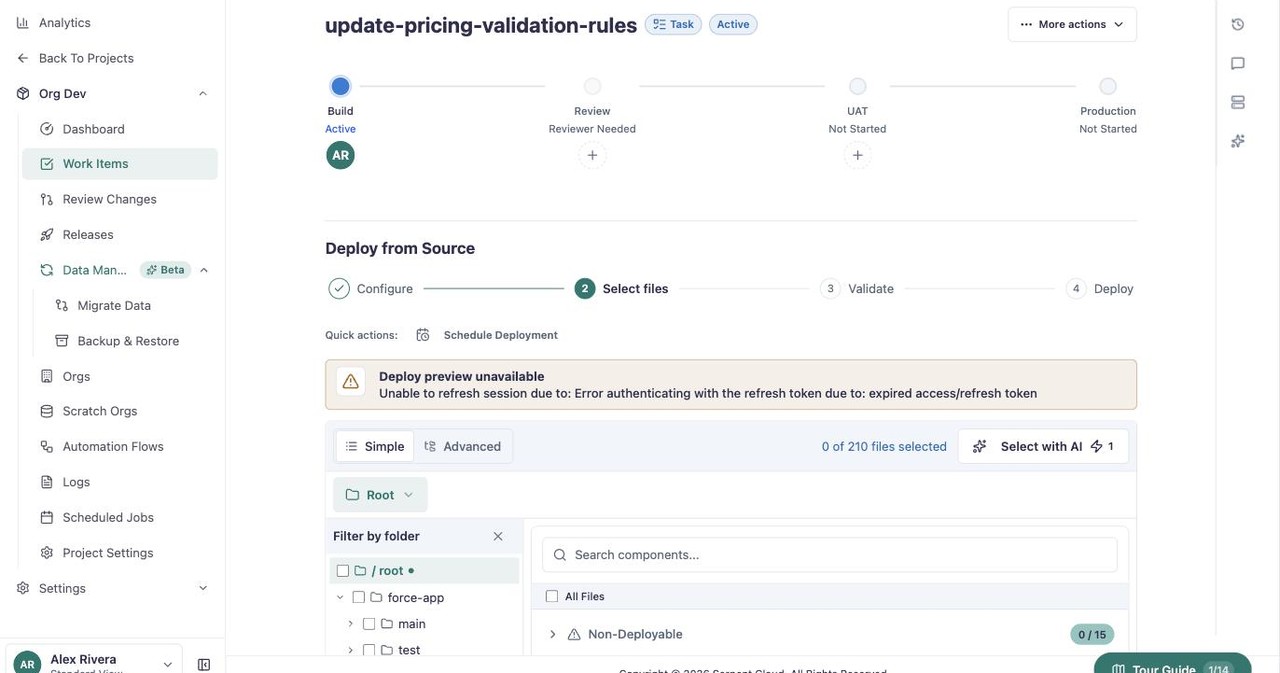
Open Deploy from Source
On the Work Item, open More actions and choose Deploy from Source.
-
Select with AI
On the Select changes step, click Select with AI to have Serpent gather the right components for you instead of picking them by hand.